
What makes the 333qk app different?
Most people in Bangladesh are online through their mobile phones. Whether it's the morning commute, a lunch break, or winding down before bed — many want to make the most of those spare moments. The 333qk app was built exactly with that in mind. It's not just another gaming app; it's a complete gaming ecosystem — Sports Betting, Live Casino, slots, Fish Game, all in one place.
The 333qk mobile app is built with Bangladeshi users in mind. The interface is in Bangla, navigation is straightforward, and every feature is clearly visible even on smaller screens. The app runs smoothly on low-end phones as well, optimized for networks ranging from 3G to 4G.
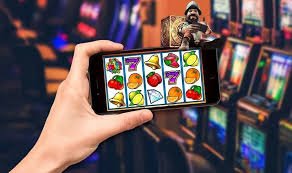
What's inside the app
The first thing you see when you open the 333qk app is the Live Sports section. cricket, football, tennis, kabaddi — ongoing matches are displayed in real time with odds updating every second. Tap any match to pull up the bet slip, enter your amount, and your bet is placed.
The Casino section offers hundreds of slot games along with Live Baccarat, Roulette, and Blackjack tables. Playing with a live dealer on mobile feels just like a real casino — smooth video stream, crystal-clear audio.
The Fish Game section is a fan favorite. Playing on a touchscreen makes the experience truly unique — tap to aim, catch big fish, and win rewards.
In the Payment section, you can easily deposit via mobile banking or e-wallet. Withdrawals can also be handled directly from the app — no need to open a separate web browser.
How to install the 333qk app on Android
Because not all gaming apps are available on the Google Play Store, the Android version of 333qk needs to be downloaded directly as an APK file. It is a slightly different process, but very straightforward. Follow the steps below.

First, go to your phone's Settings. Look for "Security" or "Privacy", then enable "Unknown Sources" or "Install Unknown Apps". You only need to do this once.
Next, download the APK file from the 333qk website. Once the download is complete, open your file manager, tap the file, and hit "Install". The installation only takes a few seconds.
Once installed, the 333qk icon will appear on your home screen. Log in or create a new account — and you're ready to play.
How to use 333qk on iOS
IPhone and iPad users can use the 333qk mobile browser version, which works just like a native app. Open 333qk.onl in Safari or Chrome, tap the "Share" button, then select "Add to Home Screen". A shortcut will be created on your home screen that looks and feels exactly like a native app.
Thanks to iOS Progressive Web App (PWA) functionality, the 333qk mobile site opens in full screen with no navigation bar, delivering a smooth experience identical to a native app. Even though Apple's strict App Store policies mean gaming apps cannot be distributed directly, this method ensures you do not miss out on any features.
App advantages not available on the website
333qk app users enjoy exclusive benefits not available on the web browser. Set up push notifications to receive reminders before key matches, get instant alerts when major bonus offers go live, and have your bet results delivered to you as notifications the moment they are settled.
The app supports fingerprint and Face ID login, so there is no need to type your password every time. Just use your fingerprint to get in.
App users receive exclusive mobile-only bonuses from 333qk. These offers come around regularly and are not available to web users. Downloading the app is not just about convenience — it also means access to extra rewards.
No Security Worries
Many people feel uneasy about making payments online. The 333qk app uses 256-bit SSL encryption — the same level of security as a bank. Your transaction details are never shared with any third party.
Enabling Two-Factor Authentication (2FA) adds an extra layer of security to your account. Every time you log in, a one-time OTP is sent to your phone — without it, no one can access your account.
333qk is licensed and undergoes regular third-party audits. Game outcomes are impartial and RNG (Random Number Generator) certified — there is no possibility of manipulation.
What you get with the 333qk app
Fast Loading
The app runs smoothly even on a 3G connection. Games won't lag even on a slow internet connection.
Live Betting
View real-time odds during matches and place bets instantly.
Push Notifications
Get game results, bonus offers, and match reminders delivered straight to your phone.
Biometric Login
Log in securely with your fingerprint or Face ID — no need to remember a password.
In-App Payment
Easy deposits and withdrawals via mobile banking or e-wallet.
Dark Mode
Switch on Dark Mode for a more comfortable viewing experience at night. Easier on the eyes, so you can keep playing.
What you need to run the 333qk app
Android Requirements
| Topic | Description |
|---|---|
| OS Version | Android 6.0 or above |
| RAM | Minimum 1 GB |
| Storage | 30 MB free space |
| Internet | 3G / 4G / WiFi |
| APK Size | Approx. 28 MB |
| Update | Auto-Update Support |
IOS Requirements
| Topic | Description |
|---|---|
| IOS Version | IOS 13.0 or above |
| Device | IPhone 6s / iPad Air 2+ |
| Browser | Safari 13+ or Chrome |
| Internet | 3G / 4G / WiFi |
| Installation Guide | PWA (Add to Home Screen) |
| Update | Auto on Browser |
App vs. Mobile Browser — Which is better?
| Features | 333qk App | Mobile Browser |
|---|---|---|
| Push Notifications | ||
| Biometric Login | ||
| Loading Speed | Medium | |
| App-Exclusive Bonuses | ||
| Account Info Available Offline | ||
| Live Score Updates | ||
| Access All Games | ||
| Dark Mode | Limited |
App FAQ
Download the 333qk app today — gaming is now in your pocket
Play on mobile, anytime, anywhere. Enjoy app-exclusive bonuses and the thrill of live betting.
Free Download • No Hidden Charges • Only 30 MB